How to Replace Your Old Laundry Set with a Smart System That Always Reminds You When the Cycle Ends
Introduction
If you’ve ever come home to a musty-smelling pile of damp clothes because you forgot to move them to the dryer—again—you’re not alone. That exact problem motivated me to finally upgrade the aging washer and dryer left by the previous homeowners. We got three years out of that decade-old pair before the dryer became unsafe, and the constant forgetfulness had me searching for a permanent fix. The solution? A smart laundry system that sends a notification straight to your phone when the cycle finishes. This how-to guide walks you through every step, from assessing your current machines to setting up automation so you never forget a load again.
What You Need
- Smart washer (Wi‑Fi enabled with app support – e.g., Samsung, LG, GE, or Whirlpool)
- Smart dryer (compatible with the same app, or a smart plug + dumb dryer if your budget is tight)
- Smartphone (iOS or Android) with the manufacturer’s app installed
- Home Wi‑Fi network (2.4 GHz recommended for most appliances)
- Electrical outlet within reach of each machine (check voltage requirements)
- Vent hose and connections (for the dryer, if not included)
- Optional: Smart home hub like Amazon Alexa, Google Home, or Apple HomeKit for voice reminders
- Tools: Adjustable wrench, level, screwdriver, measuring tape
Step‑by‑Step Guide
Step 1: Evaluate Your Current Machines and Laundry Space
Before buying anything, measure your laundry alcove or closet. Note the width, depth, and height—most modern sets are standard 27 inches wide, but double‑check. Also assess the age and safety of your existing units. If the dryer is making strange noises, overheating, or you see frayed cords, replace immediately. Use the old machines as a baseline for features you want: for example, steam cycles, large capacity, or Wi‑Fi connectivity.
Step 2: Choose the Right Smart Washer and Dryer
Look for models that offer push notifications when a cycle ends. Top picks include the Samsung Bespoke AI, LG WashTower, or GE Profile UltraFresh. If you want to save money, you can buy a smart washer and pair it with a “dumb” dryer controlled by a smart plug (rated for high wattage). The plug can send a notification when the dryer stops drawing power, though this method is less precise. Make sure both appliances are compatible with the same app for a unified experience.
Step 3: Prepare Your Home’s Connections
Turn off the water supply to the old washer and disconnect the hoses. For the dryer, unplug it and disconnect the vent. Check that the existing outlets are grounded and rated for the new units—typically 120 V for standard washers and dryers, but some electric dryers need 240 V. If you’re unsure, consult a licensed electrician. Also verify that your Wi‑Fi signal reaches the laundry area; if not, consider a mesh network or range extender.
Step 4: Install the New Smart Washer
Slide the washer into place, leaving a few inches behind for hoses. Connect the hot and cold water hoses (usually blue and red) to the corresponding wall valves, hand‑tightening first, then a quarter turn with a wrench. Attach the drain hose to the standpipe or sink. Plug the washer into a grounded outlet. Use a level to adjust the feet so the machine doesn’t shake during a spin cycle—this is critical for proper operation.
Step 5: Install the New Smart Dryer
For gas dryers, hire a professional for the gas line connection. For electric dryers, plug into the 240 V outlet. Attach the vent hose to the dryer’s exhaust port and secure it with a clamp. Run the hose to the exterior vent, keeping it as straight and short as possible for maximum drying efficiency. Level the dryer using the adjustable front legs.
Step 6: Connect Both Machines to Your Wi‑Fi and App
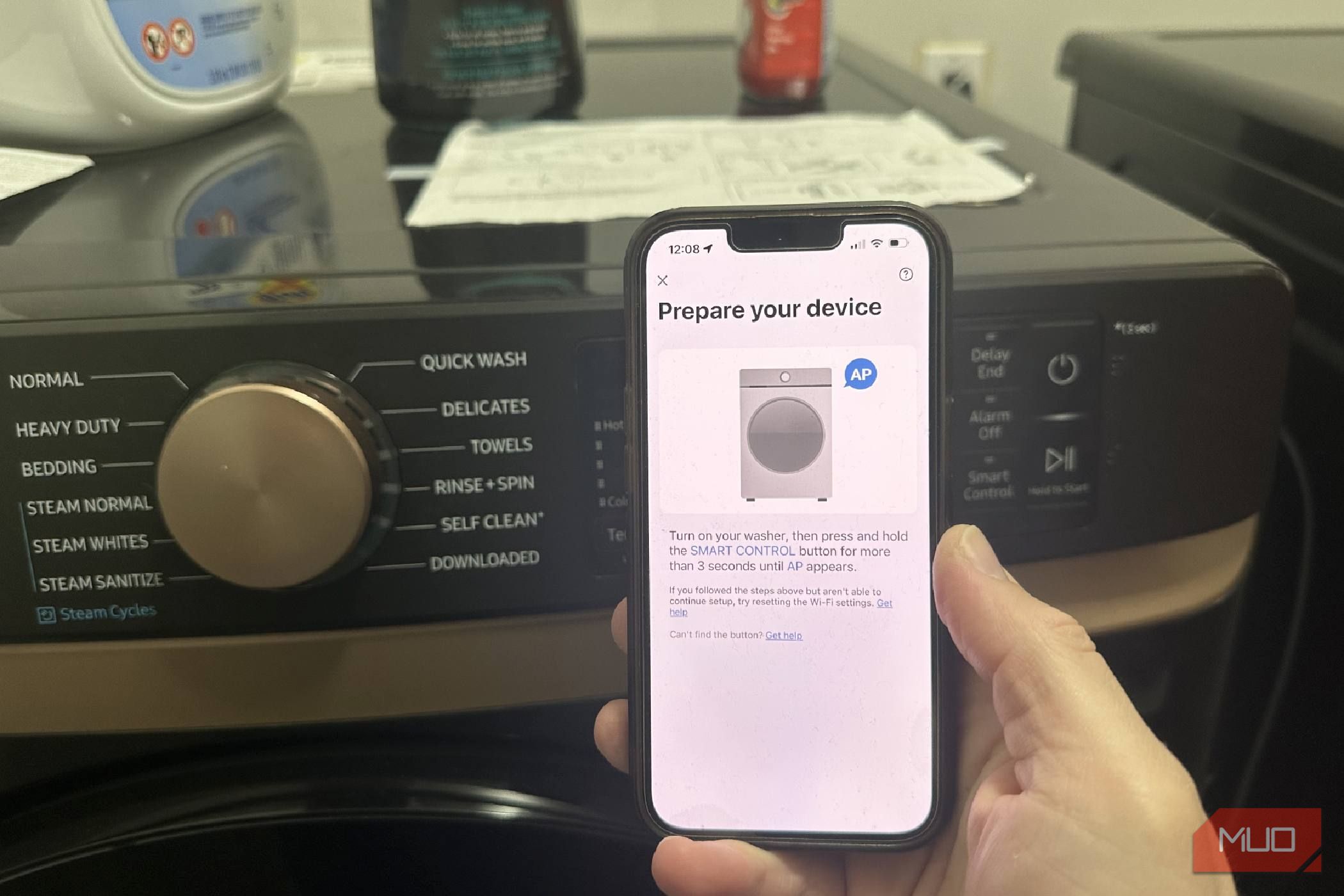
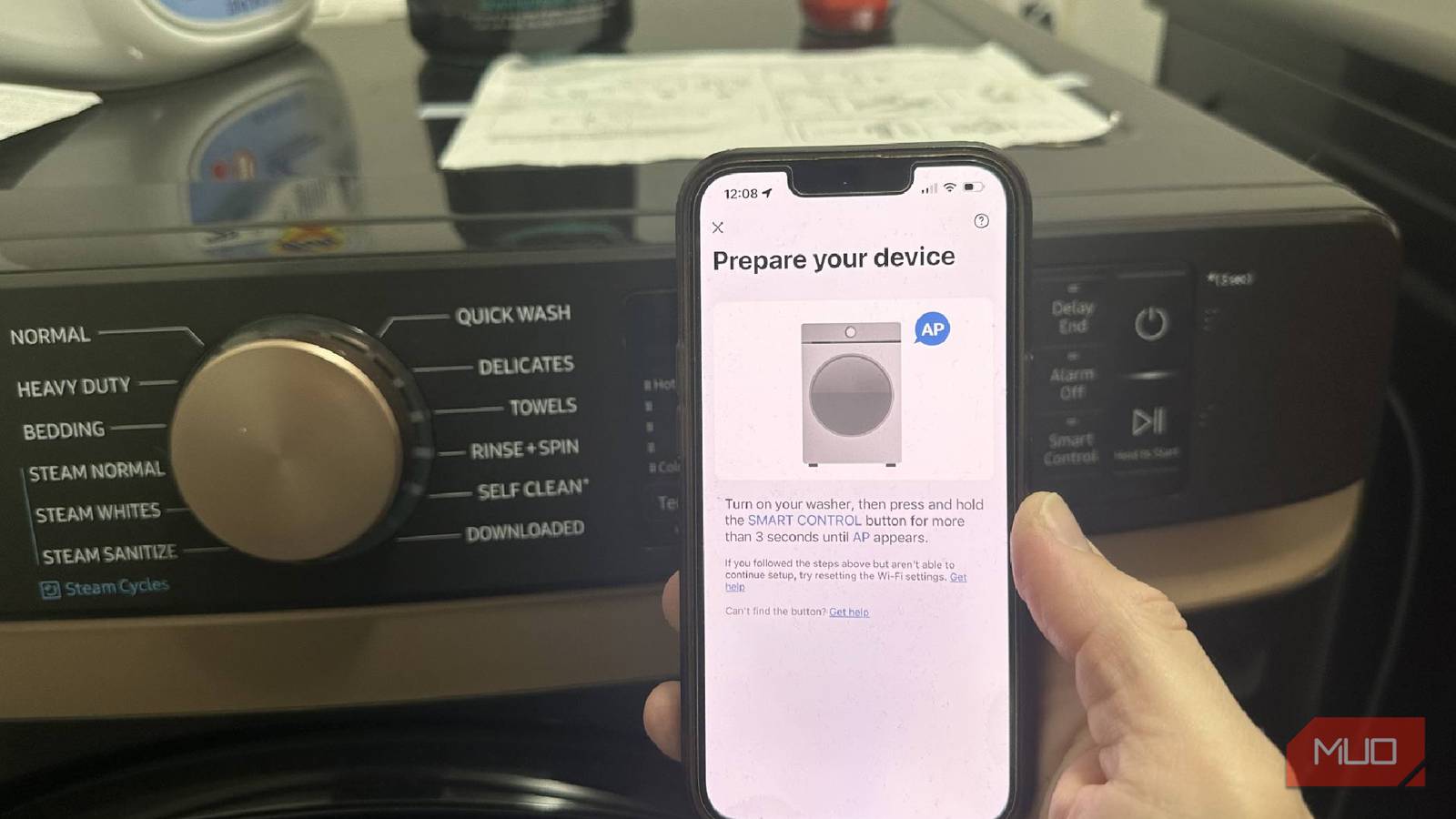
Download the manufacturer’s app (for example, Samsung SmartThings or LG ThinQ). Create an account and follow in‑app instructions to add your appliances. Usually you’ll press a Wi‑Fi button on the control panel and then enter your network password. Once connected, assign a name like “Washer” or “Dryer” for easy recognition. Test the connection by running a quick rinse cycle and checking if the app shows the status.
Step 7: Set Up Notifications and Automations
Within the app, locate notification settings. Enable “Cycle Complete” alerts for both the washer and dryer. Also turn on “Cycle Start” or “Delay” notifications if you want to know when a load begins. To go a step further, create a routine in Alexa or Google Home: for example, when the washer finishes, have your smart speaker say, “Time to move laundry to the dryer!” Then when the dryer finishes, get a push alert on your phone and smartwatch if you have one.
Step 8: Run a Test Load and Tweak Settings
Wash a small load of towels. Listen for unusual noises, check for leaks around the hoses, and verify the app shows the correct cycle time and remaining minutes. After the wash, move the towels to the dryer and confirm you receive the notification. If the alert is delayed or missing, re‑check your home Wi‑Fi signal strength near the appliances or update the app firmware. Adjust the sensitivity of any moisture sensors if the dryer stops too early or too late.
Step 9: Integrate with Other Smart Home Devices (Optional)
If you own smart lights, plugs, or sensors, you can chain actions. For example, when the dryer finishes, turn on a floor lamp in the living room as a visual cue. Or, have the smart lock chime when the washer is done. Explore IFTTT (If This Then That) applets for even more creative reminders—like sending an email or triggering a siren. But keep it simple; the core benefit is that you never forget a load again.
Tips for Success
- Place the washer and dryer close together so you can transfer wet clothes quickly—this reduces wrinkles and prevents mildew.
- Label your hoses (hot and cold) with tape to avoid confusion next time you disconnect them.
- Update the app and firmware regularly to get new features and security patches.
- Use a surge protector for both machines if your area has frequent power fluctuations.
- If your laundry room is far from the router, a Wi‑Fi mesh kit (like Google Nest Wi‑Fi) will ensure consistent connectivity.
- Opt for a model with a “Smart Start” feature that lets you delay cycles from your phone—perfect for running laundry while you’re out.
- Don’t forget to clean the lint filter after every dryer use; smart or not, it’s essential for safety and performance.
- Share access with household members so everyone gets the alert and can help move laundry along.
With this smart laundry upgrade, you’ll never again find yourself staring at a forgotten load of damp clothes. The initial setup takes an afternoon, but the payoff is a quieter home, lower stress, and perfectly dried clothes every time. Plus, you’ll save money by running cycles when energy rates are low—right from your phone. Now, go enjoy that fresh laundry smell—and the silence of a notification instead of a guilty memory.
Related Articles
- Securing AI Agents: How to Prevent a 10-Second Database Apocalypse
- Vacuum Giant Dreame Unveils Smartphones in California, But Availability Remains Elusive
- ByteDance Unveils Astra: Breakthrough Dual-Brain AI Solves Robot Indoor Navigation Puzzle
- Inside Dyson's Latest Robot Vacuum: A Partnership Over Proprietary Motors
- DIY Smart Home 'Vibe Coding' Triggers Security Alarms Across Private Networks
- Ignite Your Personalization Strategy: The Essential Prepersonalization Workshop
- Astra: ByteDance’s Dual-Model Breakthrough for Autonomous Robot Navigation
- IoT Botnet Takedown: A Comprehensive Guide to Understanding and Preventing Large-Scale DDoS Attacks